 Vanta Panel
User Manager and Delegated Logins
Create extra vPanel logins for a developer or colleague, scoped to only the areas you tick. Permission groups, the account+username login format, and what is never delegated.
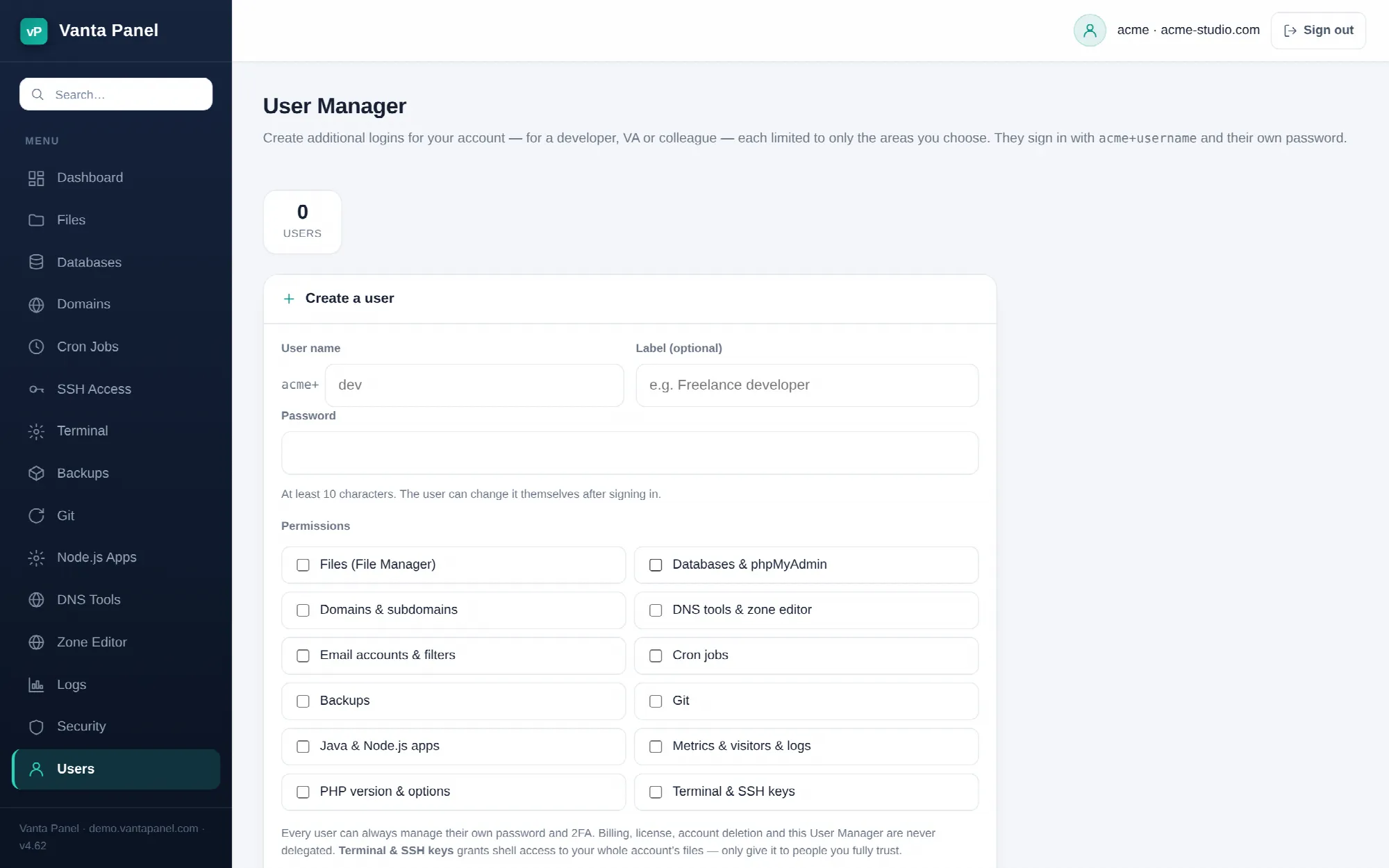 Creating delegated logins in the vPanel User Manager.
User Manager (vPanel → Users) creates additional logins for your hosting account — for a developer, a virtual assistant, or a colleague — each restricted to only the areas you tick. They sign in to the same vPanel with their own password and never see the rest of your account.
How a delegated login works
Every user you create gets the login name youraccount+name. If your account is acme and you create a user called dev, they sign in as acme+dev.
Behind the scenes the session still operates on your real account, so every page they are allowed to open acts on your files, your databases and your domains. What changes is which pages exist for them: the navigation is filtered to their permissions, and any page outside those permissions is refused outright — a GET bounces back to the dashboard with a notice, a POST returns 403.
Creating a user
Fill in the form at the bottom of the page:
- User name — 2 to 32 characters, lowercase letters and digits, must start with a letter. This is the part after the
+. - Label — optional, up to 64 characters, just a note to yourself such as "Freelance developer".
- Password — at least 10 characters. The user can change it themselves after signing in.
- Permissions — tick the areas they need.
You can have up to 20 users on an account.
The permission list
Permissions are grouped, not per-page. Ticking one grants every page in that group:
| Permission | Pages it unlocks |
|---|---|
| Files (File Manager) | File Manager |
| Databases & phpMyAdmin | Databases, phpMyAdmin, Remote MySQL |
| Domains & subdomains | Domains |
| DNS tools & zone editor | DNS Tools, Zone Editor |
| Email accounts & filters | Email, Email Filters, Autoresponders, Forwarders, Deliverability, Spam Filters |
| Cron jobs | Cron Jobs |
| Backups | Backups |
| Git | Git |
| Java & Node.js apps | Java Apps, Node.js Apps, Kafka |
| Metrics & visitors & logs | Metrics, Visitors, Logs |
| PHP version & options | Select PHP Version |
| Terminal & SSH keys | Terminal, SSH Access |
A user with no permissions ticked can still sign in — they get the dashboard, their own password, and nothing else. The user list shows "self-service only" for them.
Terminal & SSH keys is the one to think twice about. Shell access is not scoped to a folder; it hands over your whole account's files, and an authorised SSH key survives having the delegated login disabled. Only grant it to people you would trust with the account password.
What is never delegated
Some things stay with the account owner regardless of what you tick:
- The User Manager itself — a delegated login cannot create or edit users
- Two-factor authentication for the account
- Account deletion, billing and licensing
Every user can always change their own password and view their own access.
Editing, disabling and deleting
- Edit changes the label and permissions. Permission changes apply the next time the user loads a page. Leave the password field blank to keep the current one.
- Disable blocks sign-in without deleting anything. The user's row stays and can be re-enabled later.
- × deletes the user permanently.
A user name cannot be changed after creation — delete and recreate instead.
Delegated logins are also refused while the account is suspended. Their sign-in attempts are logged under the name youraccount+name, which is not the same identity as the account itself — so they do not appear in the Recent sign-ins table on your Security page. That table lists events for the main account login only.
My Access
Signed in as a delegated user, the navigation gains a My Access entry. It is a read-only summary: who they are signed in as, which account they are working on, and a plain list of the permission groups they hold. Users with no permissions see a line telling them to ask the account owner.
It is the fastest way to answer "why can I not see the Databases page" without giving anyone the User Manager.