 Vanta Panel
Managing Services
Check, restart and reload the core services from vWHM — Apache, MariaDB and both panel services — plus restart-all and a guarded server reboot.
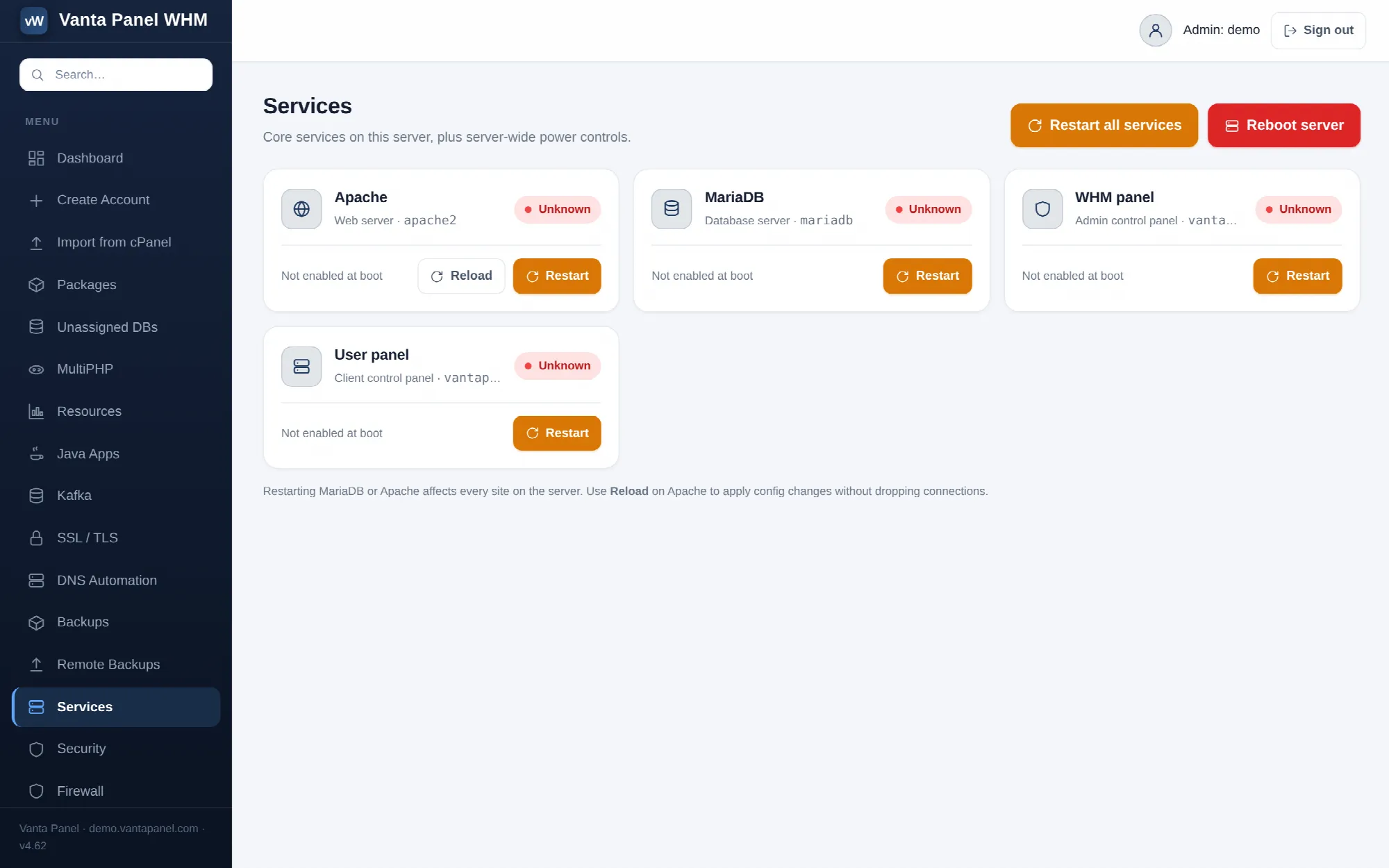 The Services page in vWHM, with per-service status and power controls.
Services (vWHM → Services) shows the state of the core services this panel depends on and lets you restart them. It is a thin, deliberately narrow wrapper around systemctl — the worker will only act on a fixed allow-list of unit names, so nothing here can be pointed at an arbitrary service.
The four services
| Card | systemd unit | What it is |
|---|---|---|
| Apache | apache2 | The web server serving every hosted site |
| MariaDB / MySQL | mariadb or mysql | The database server — whichever unit this server has |
| WHM panel | vantapanel-whm | This admin panel |
| User panel | vantapanel-user | The customer panel (vPanel) |
Each card shows the unit name, a live status chip, and whether the unit starts at boot. The chip reads:
- Running — the unit is active.
- Stopped (or the actual state, such as failed) — the unit exists but is not active.
- Unknown — the panel could not get an answer from the privileged worker for that unit. That points at the worker rather than at the service.
The database card is keyed to whichever unit this server actually has — mariadb if present and active, otherwise mysql — so the card and its Restart button always target the real database unit. Restart all services is the exception: it detects whichever of the two exists and restarts that one.
Per-service actions
- Restart — on every card. Confirms first, because it briefly interrupts the service.
- Reload — on Apache only, because Apache is the one service here that supports a graceful reload. It applies configuration changes without dropping in-flight connections.
Prefer Reload on Apache whenever you have only changed configuration. Restarting Apache or MariaDB affects every site on the server at once.
Restart all services
Restarts Apache, the database and both panels. The confirmation dialog says what will happen: every website blinks for a few seconds and this panel may briefly disconnect before coming back.
The order matters and is handled for you. Apache and the database are restarted synchronously, because neither of them is serving the request you are making. The two panel units are restarted a couple of seconds later by a detached systemd job, so the page you are looking at can finish loading before the process behind it is killed. That is why the panel comes back rather than dying mid-response.
If a service fails to restart, the resulting message names each unit that failed and why, rather than a generic error.
Reboot the server
Reboots the whole machine. This dialog requires you to tick an acknowledgement that the server and every site on it will go offline; the form refuses to submit until you do.
The reboot is scheduled a few seconds out so the page can respond first. Expect 30 to 90 seconds of total downtime on typical hardware. Nothing in the panel monitors the return; you simply reload once it is back.
Related pages
For a live view of load, memory, disk and the same four services, without the ability to change anything, use Server status — it re-polls every three seconds.
To be emailed when a service goes down rather than discovering it here, turn on server alerts under Panel settings. The alert engine checks a wider set than this page: Apache, MariaDB or MySQL, Postfix, Dovecot and OpenDKIM, skipping any that are not installed.