 Vanta Panel
Node.js App Hosting
Run Node.js apps on your hosting account. vPanel writes a systemd service that runs as your own Linux user, injects PORT, restarts on failure and survives reboots, then wires an Apache reverse proxy to a URL path on your site or to a domain of its own.
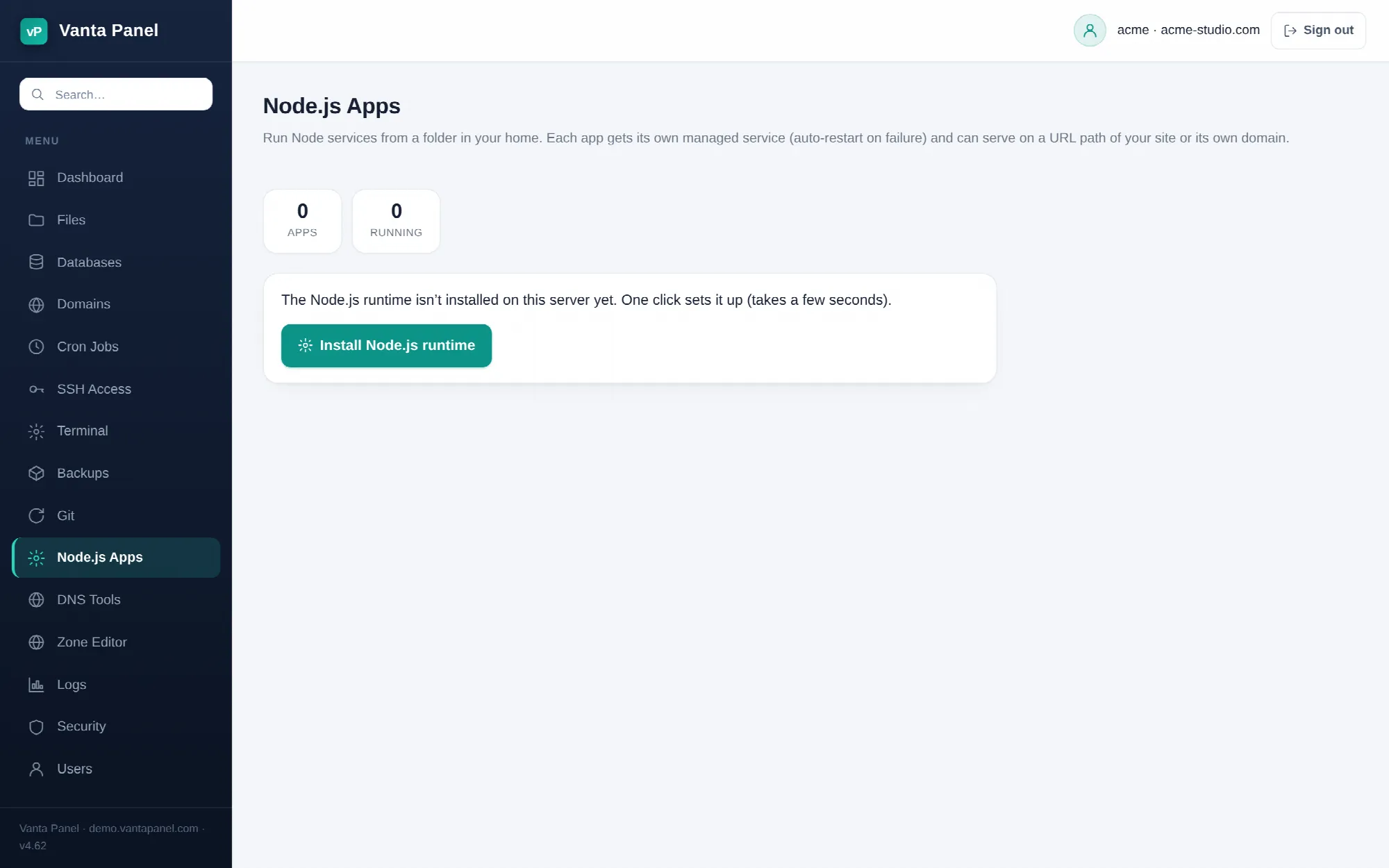 Deploying a Node.js app in vPanel.
Node.js Apps (vPanel → Node.js Apps) runs a Node service from a folder inside your home directory. Vanta Panel writes a systemd unit for the app, so it starts on boot, restarts if it crashes, and runs as your own Linux user rather than as the shared web-server user. Apache is then configured to reverse-proxy your site (or one of your domains) to it.
Before you deploy
Get your code onto the server first — with the File Manager, Git, or SFTP over SSH. The app runs in place from the folder you point it at, so node_modules stays where it is and nothing is copied elsewhere.
If Node is not installed on the server yet, the page shows a single Install Node.js runtime button instead of the deploy form. Clicking it installs the distribution's nodejs and npm packages and reports the versions it got.
The deploy form
| Field | What it does |
|---|---|
| App name | 1–32 characters, lowercase letters, numbers and hyphens, starting and ending with a letter or number. Used in the service and config filenames. |
| App folder | An absolute path that must resolve inside /home/<your-account>. Anything outside is refused. |
| Port | 1024–65535. The page suggests a free one for you. |
| Memory limit | 128 MB, 256 MB, 512 MB or 1 GB from the dropdown (the service accepts 64–4096 MB). |
| Start command | Optional — leave it blank to have one detected. |
npm install | Runs npm install --omit=dev --no-audit --no-fund as your account user before the app starts, if a package.json is present. It is given 10 minutes to finish. |
| Expose the app | A URL path on your site, its own domain, or internal only. |
Your app must read process.env.PORT
Vanta Panel does not patch your code. It sets PORT in the service environment and points the reverse proxy at http://127.0.0.1:<port>/, so your server has to listen on that port:
const port = process.env.PORT || 3000;
app.listen(port);
NODE_ENV=production and HOME=/home/<your-account> are set in the same environment.
Ports 21, 22, 25, 80, 110, 143, 443, 465, 587, 993, 995, 2083, 2087, 3306 and 8891 are reserved and rejected. A port already claimed by another Vanta Node or Java app is rejected too, with the name of the app that has it.
The start command
If you leave Start command blank, the panel picks one by looking in your app folder, in this order:
server.jsexists →node server.jsindex.jsexists →node index.jspackage.jsoncontains a"start"script →npm start
If none of those apply the deploy fails and asks you to set a command. When you set one explicitly it must begin with node or npm, stay under 120 characters, contain only plain arguments, and must not contain .. — so it is a command, not a shell pipeline. Put any shell logic you need into an npm script instead.
What gets created
A systemd unit at /etc/systemd/system/vantanode-<account>-<app>.service containing, among other things:
User=<your account>
WorkingDirectory=<your app folder>
Environment=PORT=<port>
Environment=NODE_ENV=production
ExecStart=/usr/bin/node <your start command>
Restart=on-failure
RestartSec=5
MemoryMax=<your limit + 64>M
NoNewPrivileges=true
PrivateTmp=true
ProtectSystem=full
The unit is enabled, so the app comes back on its own after a reboot. MemoryMax is set slightly above the limit you chose to leave the runtime some headroom; if your process exceeds it, the kernel kills it and systemd restarts it five seconds later.
Exposing the app
URL path on my site — the panel writes a small proxy fragment to /etc/apache2/vantajava/<account>/node-<app>.conf and makes sure every one of your account's Apache vhosts includes it:
RedirectMatch 301 ^/api$ /api/
ProxyPass        /api/ http://127.0.0.1:<port>/
ProxyPassReverse /api/ http://127.0.0.1:<port>/
Two things follow from this. The prefix is stripped — a request for /api/users arrives at your app as /users, so use relative links and relative asset paths in your app. And because the include is added to all of the account's vhosts (HTTP and HTTPS, primary domain, subdomains and addon domains), the path answers on every hostname on the account, not only the primary one.
Its own domain — the panel writes a dedicated vhost at /etc/apache2/sites-available/vantanode-<account>-<app>.conf that proxies / to your app with ProxyPreserveHost On, and gives it its own Apache logs (<account>-node-<app>-access.log and -error.log). The domain has to be one already on your account; a domain that is not yours is rejected. The vhost this creates listens on port 80, so point the domain's DNS at this server first.
Internal only — no proxy is written. The app is reachable only from the server itself on 127.0.0.1:<port>, which is what you want for a queue worker, an internal API, or something you proxy yourself.
Apache's proxy, proxy_http and rewrite modules are enabled by the Vanta Panel installer, so there is nothing to turn on. Every proxy change is checked with apache2ctl configtest before Apache is reloaded, and rolled back if the check fails — a bad path can't take your website down.
Restarting, logs, and removing
Each app row has Restart, Stop/Start, Logs and a remove button.
Deploying again with the same app name is the normal way to pick up new code: it rewrites the unit and restarts the service. Tick npm install again if your dependencies changed.
Logs shows the last 200 lines of the service journal (journalctl -u vantanode-<account>-<app>), newest at the bottom, with ISO timestamps. That is your app's own stdout and stderr — anything you console.log lands here, and so does the stack trace when it crashes on boot.
Removing an app stops it, disables it, deletes the systemd unit and removes its proxy configuration. Your folder, your code and your node_modules are left exactly as they are, so a remove is not a data loss event and re-deploying is quick.
When a deploy fails
- "the app failed to start (check its logs)" — the unit was written but the process exited. Open Logs; a missing module or a syntax error shows up there immediately.
- "port N is already used by another app" — pick another port; the message names the service holding it.
- "the app folder must be a directory inside your home" — the path is wrong, or it is a symlink pointing outside your home. Paths are resolved before they are accepted.
- "npm install failed" — the last few lines of npm's output are shown with the error.
- The app starts but the URL 404s — check whether the app is serving from a base path of its own. The path proxy strips the prefix, so an app that insists on serving under
/apiwill not line up with a proxy that hands it/.
The administrator's view
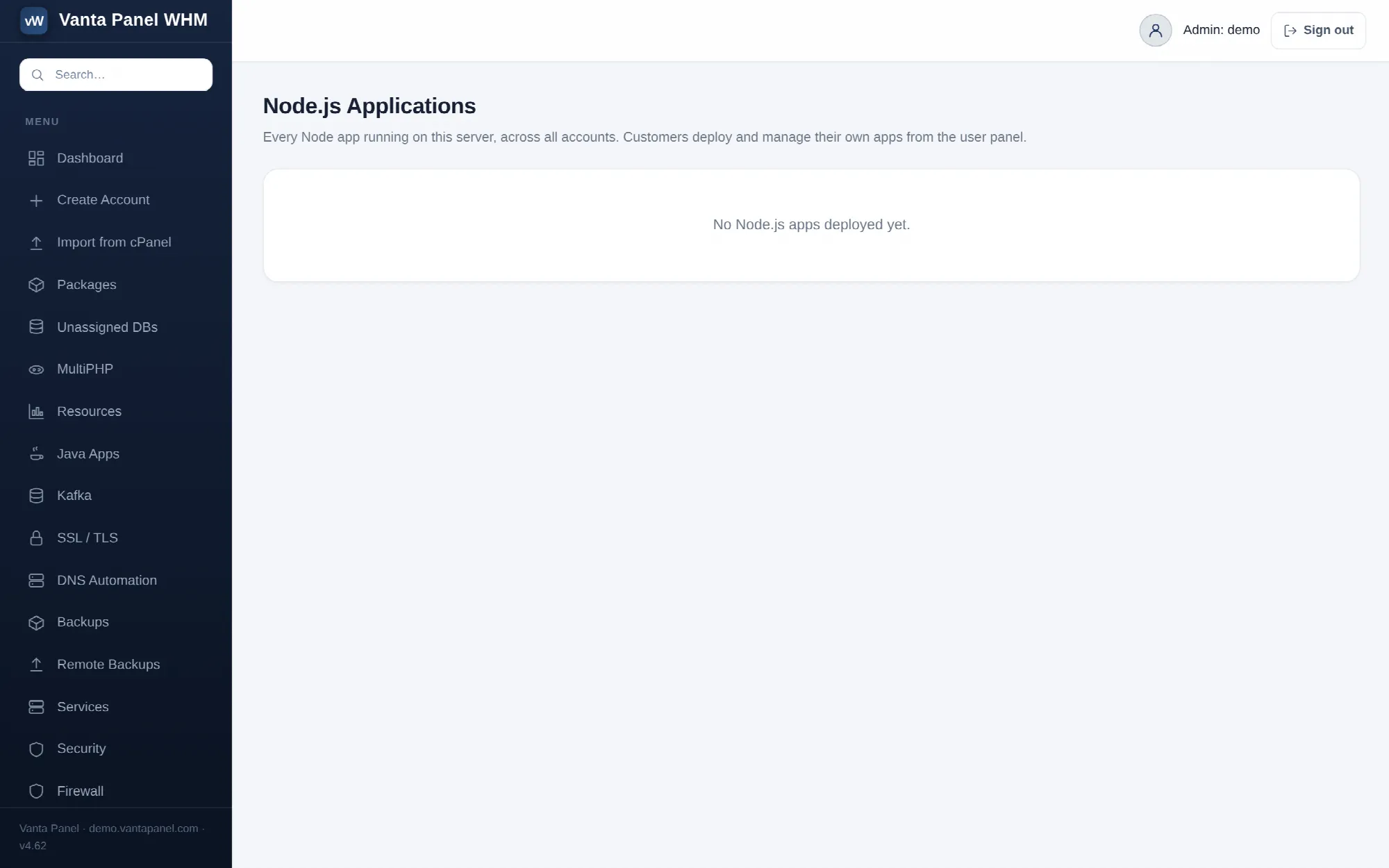 Every Node.js app on the server, listed in vWHM.
vWHM → Node.js Applications lists every Node app on the server across all accounts, with its state, the URL or path it serves, and its port, and links through to the owning account. It is a read-only overview: customers deploy and manage their own apps themselves, and an administrator does not have to be involved in a deployment.
See also
- Python App Hosting — the same model for FastAPI, Flask and Django.
- Java Apps — for executable JARs and Spring Boot.
- Git Deployments — pull your code straight onto the server.