 Vanta Panel
Hotlink Protection
Stop other sites embedding your images and spending your bandwidth. Requests for the protected file types are blocked unless the referrer is one of your domains - or there is no referrer at all. Covers the settings, the .htaccess rules written, and the cases that legitimately break.
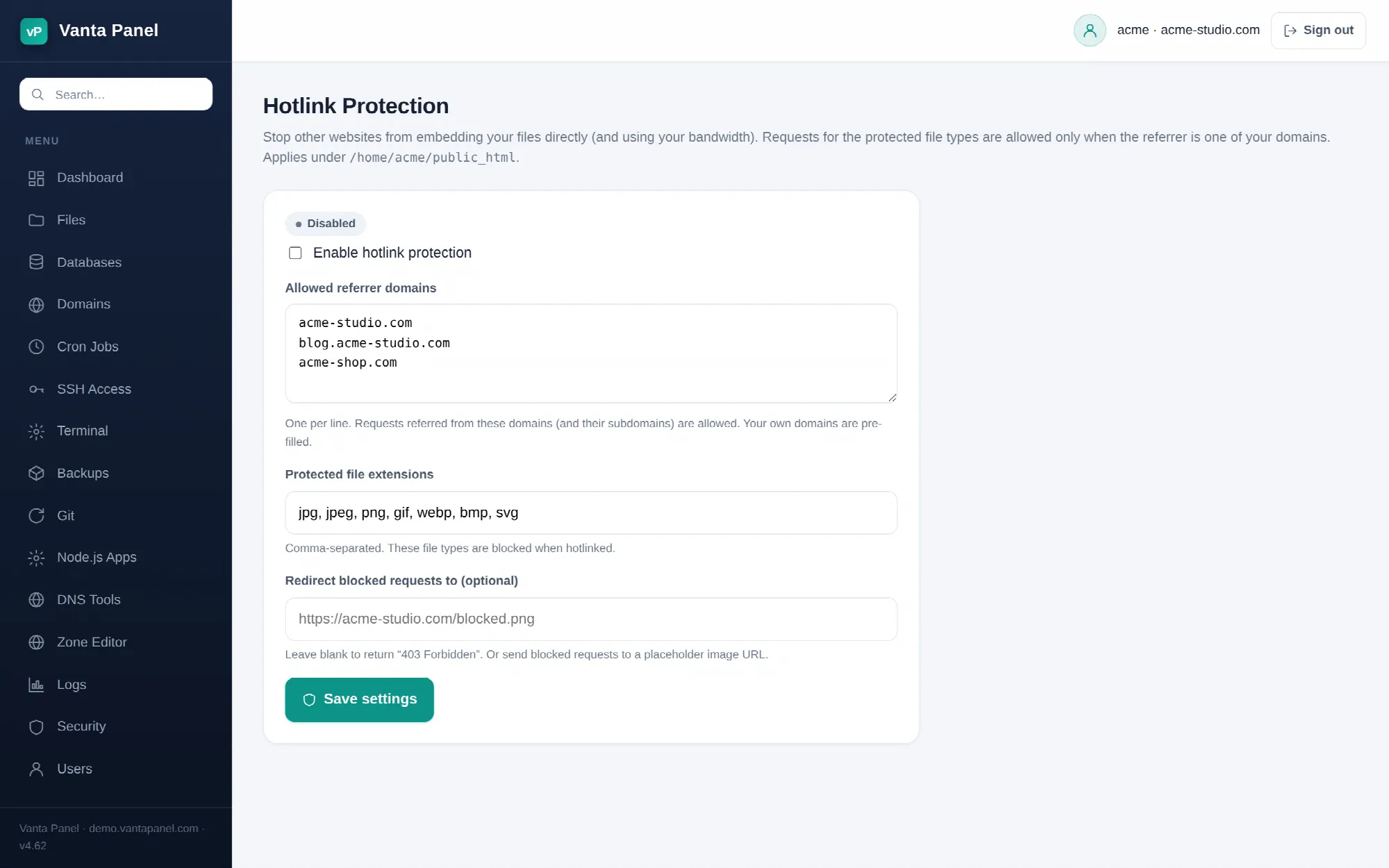 Configuring hotlink protection in vPanel.
Hotlink Protection (vPanel → Dashboard → Security → Hotlink Protection) stops other websites from embedding your files directly in their pages. When someone puts <img src="https://yourdomain.com/photo.jpg"> on their own site, every visitor they get costs you the bandwidth. Hotlink protection serves those requests only when the referring page is one of yours.
It applies to everything under ~/public_html, which covers your primary domain, your subdomains and your addon domains.
Settings
Allowed referrer domains — one per line. Requests referred from these domains and their subdomains are served normally. Your own domains are pre-filled the first time you open the page, and that is usually the whole list you need. Add a partner's domain here if they legitimately embed your images. http:// and https:// prefixes and trailing slashes are stripped for you.
Protected file extensions — comma-separated, defaulting to jpg, jpeg, png, gif, webp, bmp, svg. Only these are gated. Add pdf, zip or mp4 if those are what you are losing bandwidth to. Each extension may be up to 8 letters or numbers; leave the field empty and the image defaults are used.
Redirect blocked requests to — optional. Leave it blank and a blocked request gets 403 Forbidden, which shows as a broken image on the other site. Or point it at an image URL of your own and that is served instead, which is how people turn a hotlinker's page into an advert for their site.
How it works
Enabling it writes a managed block into ~/public_html/.htaccess:
# BEGIN vantapanel-hotlink
<IfModule mod_rewrite.c>
RewriteEngine On
RewriteCond %{HTTP_REFERER} !^$
RewriteCond %{HTTP_REFERER} !^https?://([^/]+\.)?yourdomain\.com [NC]
RewriteRule \.(jpg|jpeg|png|gif|webp|bmp|svg)$ - [F,NC,L]
</IfModule>
# END vantapanel-hotlink
With a redirect URL set, the last rule becomes RewriteRule \.(…)$ https://yourdomain.com/blocked.png [R,NC,L] instead.
Read the first condition carefully, because it explains most of the surprises below: an empty referrer is always allowed. A request with no Referer header at all passes through. That is what makes the rule safe — it is what your browser sends when someone types the image URL directly, and what many privacy tools and proxies send — but it also means hotlink protection is a bandwidth measure, not access control.
Your settings are also saved to ~/.vantapanel/hotlink.json so the page can show them back to you. Only the text between the markers in .htaccess is rewritten; everything else you have in there is preserved.
What it will and will not stop
It stops the ordinary case: a forum post, a scraper site, or a marketplace listing embedding your images and spending your bandwidth.
It does not stop anyone determined. A referrer header is set by the client, so it can be forged, and a site that proxies your image through its own server sends its own request with no referrer at all. Anything genuinely sensitive belongs behind Directory Privacy, not behind a referrer check.
Things that break, and the fix
- Your own images stop loading. Almost always a missing hostname. If your site answers on both
yourdomain.comand a subdomain, check both are covered — the rule allows subdomains of the domains you list, soyourdomain.comcoverswww.yourdomain.com, but a completely separate addon domain needs its own line. - Google Images, Pinterest, or a social preview stops showing your images. Expected: those are hotlinks. If you want the traffic they bring, add their domains to the allow list, or accept the trade.
- A CDN in front of your site breaks. The CDN fetches your image with its own request, and the referrer it sends is not yours. Add the CDN's hostname, or turn hotlink protection off and use your CDN's own equivalent feature.
- An email client shows broken images. Mail clients send an unpredictable referrer. Do not use protected extensions for images in newsletters.
- PDFs still hotlink after you enabled it. Check the extension list — only the extensions you list are gated, and
pdfis not there by default.
Turning it off
Untick Enable hotlink protection and save. The managed block is removed from .htaccess, and if nothing else was in the file it is deleted. Your allow list is remembered, so re-enabling later does not mean re-typing it.