 Vanta Panel
Contact Information
How the vPanel Contact Information page works: the Name, Contact email and Second email fields, where they are stored, and how they differ from vWHM's.
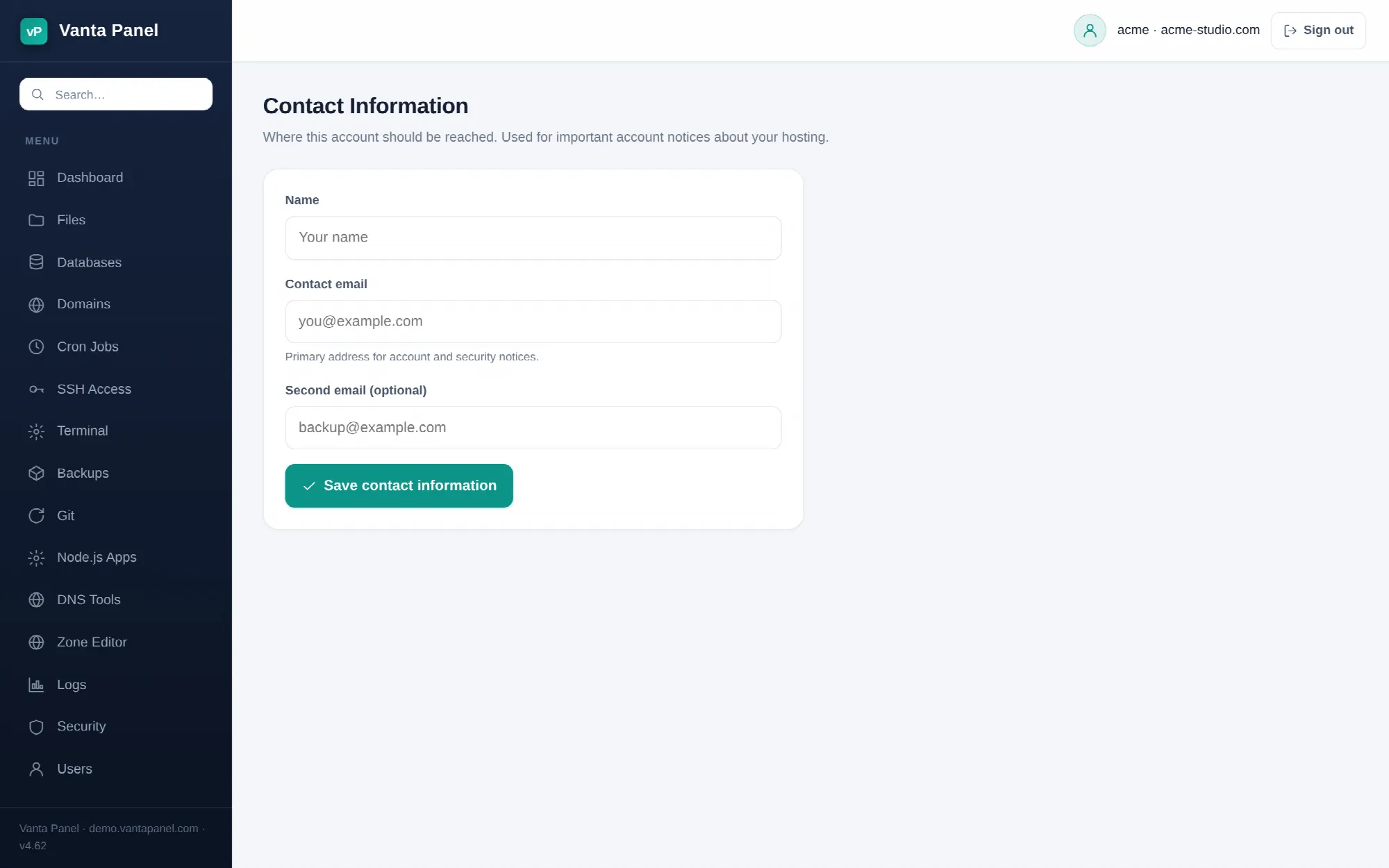 Contact information in vPanel.
The Contact Information page in vPanel records the name and email address(es) for the owner of a hosting account. It is a per-account record stored inside your own home directory. It is not your login, it does not create a mailbox, and it is separate from the optional contact email an administrator can enter when creating the account in vWHM. This page covers the three fields, the validation rules, what happens when you save, and exactly how the address is (and is not) used in the current Vanta Panel release.
Prerequisites
- A vPanel login (username and password). Sign in at
https://<your-domain>/vpanel/.
Where to find it
On the vPanel Dashboard the Contact Information tile sits in the same group as Change Password, Visitors and Metrics. The page is headed Contact Information with the sub-heading "Where this account should be reached. Used for important account notices about your hosting."
The fields
| Field | Rules |
|---|---|
| Name | Free text, up to 80 characters (longer input is cut at 80). |
| Contact email | Must be a valid email address, or blank. Stored lower-case. |
| Second email (optional) | Same rules. A fallback address. |
There are no notification-preference checkboxes on this page; it holds only these three values.
Changing it
- Open Contact Information from the dashboard.
- Fill in Name, Contact email and, if you want, Second email (optional).
- Click Save contact information.
- You will see "Contact information saved." An invalid address returns "Failed: invalid email" or "Failed: invalid second email" and nothing is changed.
What happens when you save
The panel's privileged worker writes the three values to ~/.vantapanel/contact.json in your home directory. The .vantapanel folder is created with mode 0700 and the file with mode 0600, both owned by your account, so only you and root can read it. Nothing is written to the server-wide panel database, and the next visit to the page reads the file back. If .vantapanel has been replaced by a symlink the write is refused for safety.
What the address is used for
In the current release the panel stores this address and shows it back to you; it does not yet send automated email to it. Server alerts — failed backups, automatic updates — go to the administrator's alert address set in vWHM → Settings (see Panel Settings), not to the account. There is no email-based password reset in vPanel either: you change your password on Change Password, and an administrator can reset it from vWHM. Treat the page as the canonical, backed-up record of how the account owner should be reached — it travels with your home directory in Backups.
How it relates to the vWHM account email
Vanta Panel keeps two independent addresses for an account:
| vPanel Contact Information | vWHM contact email | |
|---|---|---|
| Who sets it | The account owner | The administrator, in the Contact email (optional) field on Create Account |
| Where it lives | ~/.vantapanel/contact.json | The panel database (accounts table) |
| Where it shows | Only on this page | The Accounts list column Contact email, the "Account created" receipt, and pre-filled as the admin email in Application Installer |
| Changing one | Does not touch the other | Does not touch the other |
vWHM does not currently offer a field to change its address after creation, and accounts created through the API have none. So if the administrator needs your current address, tell them directly — they cannot see this page's values from vWHM.
Why fill in a second address
If your primary address is a mailbox hosted on this very account, a problem with the account or the server can stop mail to it. A second address on another provider is the one that still works when something is actually wrong.
Troubleshooting
These are the exact messages Vanta Panel returns from this page.
| Message or symptom | Cause and fix |
|---|---|
Failed: invalid email / Failed: invalid second email | The address is malformed. Fix the typo or clear the field. |
Failed: could not save the contact details | The worker could not write into your home directory — usually a full disk quota. Check Disk Usage or ask your host. |
Failed: home not found | The account's home directory is missing; contact your administrator. |
| Fields are empty on first visit | Nothing has been saved yet. The page does not inherit the vWHM address. |
FAQ
Does changing the contact email change my login?
No. You still sign in with your username and password.
Does it create a mailbox?
No. To send and receive at an address on your domain, create it under Email Hosting.
Can my host see this address?
Not from vWHM. They see the separate vWHM-side contact email set at creation.
Is the second email treated differently?
No. Both are validated the same way and stored side by side; the second one is simply a fallback you record.