 Vanta Panel
phpMyAdmin Single Sign-On
Get your scoped phpMyAdmin credentials and sign in with one click from vPanel. Covers what the login can see, why a database might be missing from the list, and what to do if phpMyAdmin is not installed.
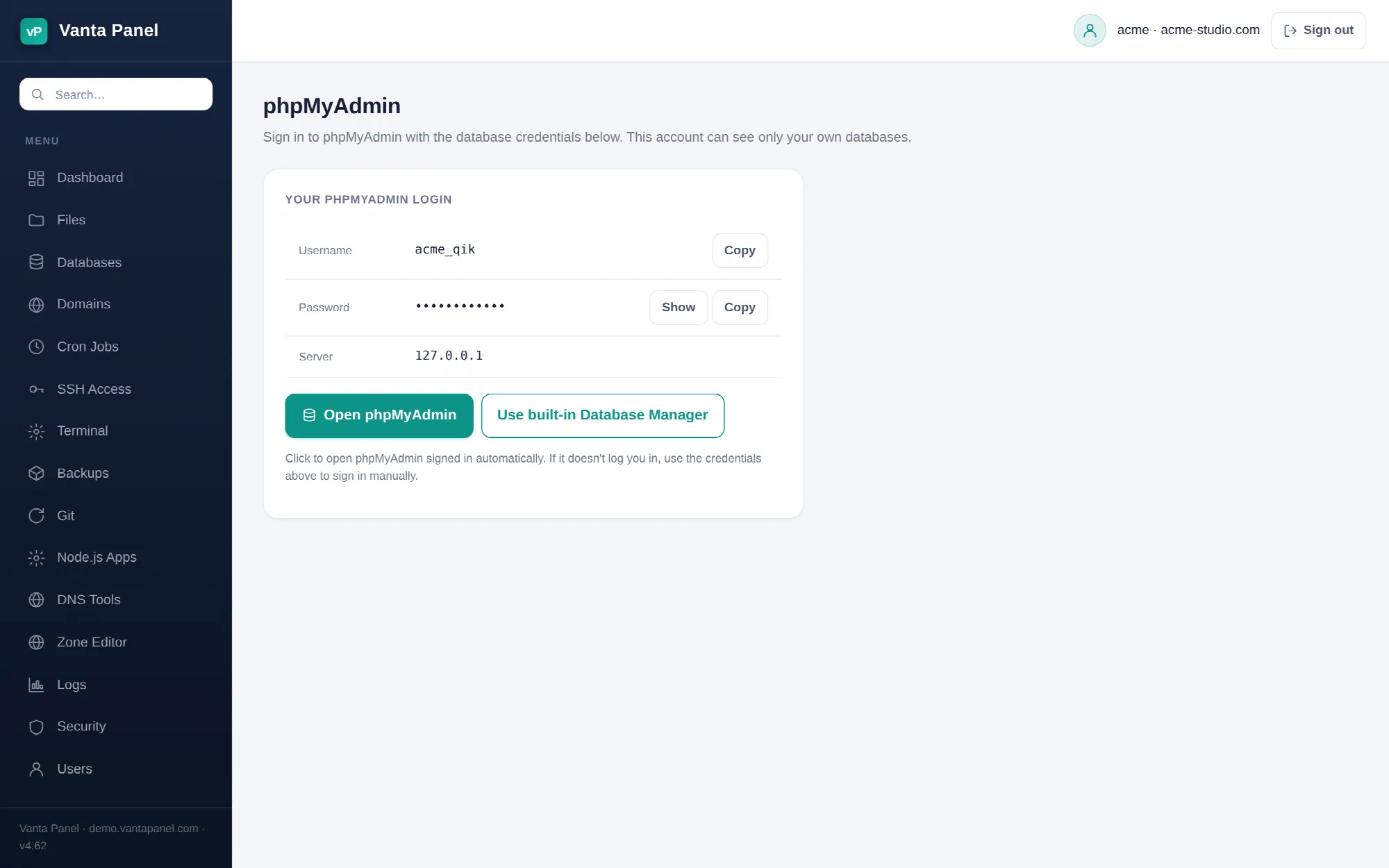 phpMyAdmin credentials and one-click sign-in in vPanel.
phpMyAdmin (vPanel → Databases → phpMyAdmin) hands you the credentials for phpMyAdmin and can sign you in with one click. Use it when you want the full phpMyAdmin interface — imports, exports, table editing — rather than the panel's own smaller Database Manager.
Your login
The page shows three things:
| Field | Value |
|---|---|
| Username | <account>_qik |
| Password | hidden until you press Show; Copy copies it |
| Server | 127.0.0.1 |
<account>_qik is a scoped MySQL user the panel creates and manages for you. Its 28-character password is generated the first time you open this page (or the Database Manager) and stored encrypted. It is granted access to each database registered to your account, and nothing else — signing in with it, you see your own databases and no one else's.
This is the same credential the Database Manager, Remote MySQL and database restores use. Changing nothing here is normal; the password is not something you set.
Signing in
Open phpMyAdmin opens phpMyAdmin at /phpmyadmin/ on this same server in a new tab, fetches its login page to read the one-time token phpMyAdmin requires, then posts your username and password into that tab. Nothing about your session is shared server-side — the browser does all the cookie handling, same-origin.
If the automatic sign-in does not take, you land on phpMyAdmin's normal login screen. Copy the username and password from this page and sign in by hand; the result is identical. The status line under the buttons tells you which of the two happened.
If a database is missing
phpMyAdmin only lists what <account>_qik has been granted, and that grant is built from the databases the panel knows about. A database that exists in MySQL but was never created or adopted in vPanel will not appear.
Go to Databases; if the panel can see it on disk it appears under Adopt an existing database. Adopt it, then reload this page — the grant is refreshed every time you open it, so the database shows up in phpMyAdmin on the next sign-in.
If phpMyAdmin is not installed
phpMyAdmin is a separate package served from /phpmyadmin/ on the same hostname. If your server administrator has not installed it, the button opens a page that does not exist. Everything you need for day-to-day work is in the built-in Database Manager, and the page links to it directly. Ask your administrator if you need the full phpMyAdmin.
If the panel cannot set up the scoped grant at all, a red notice appears at the top with the reason, and the Database Manager link is offered as the fallback.