 Vanta Panel
Unassigned Databases
Find MySQL databases that no Vanta account owns — usually left by a migration — and assign each to an account so it appears in their panel, phpMyAdmin and backups.
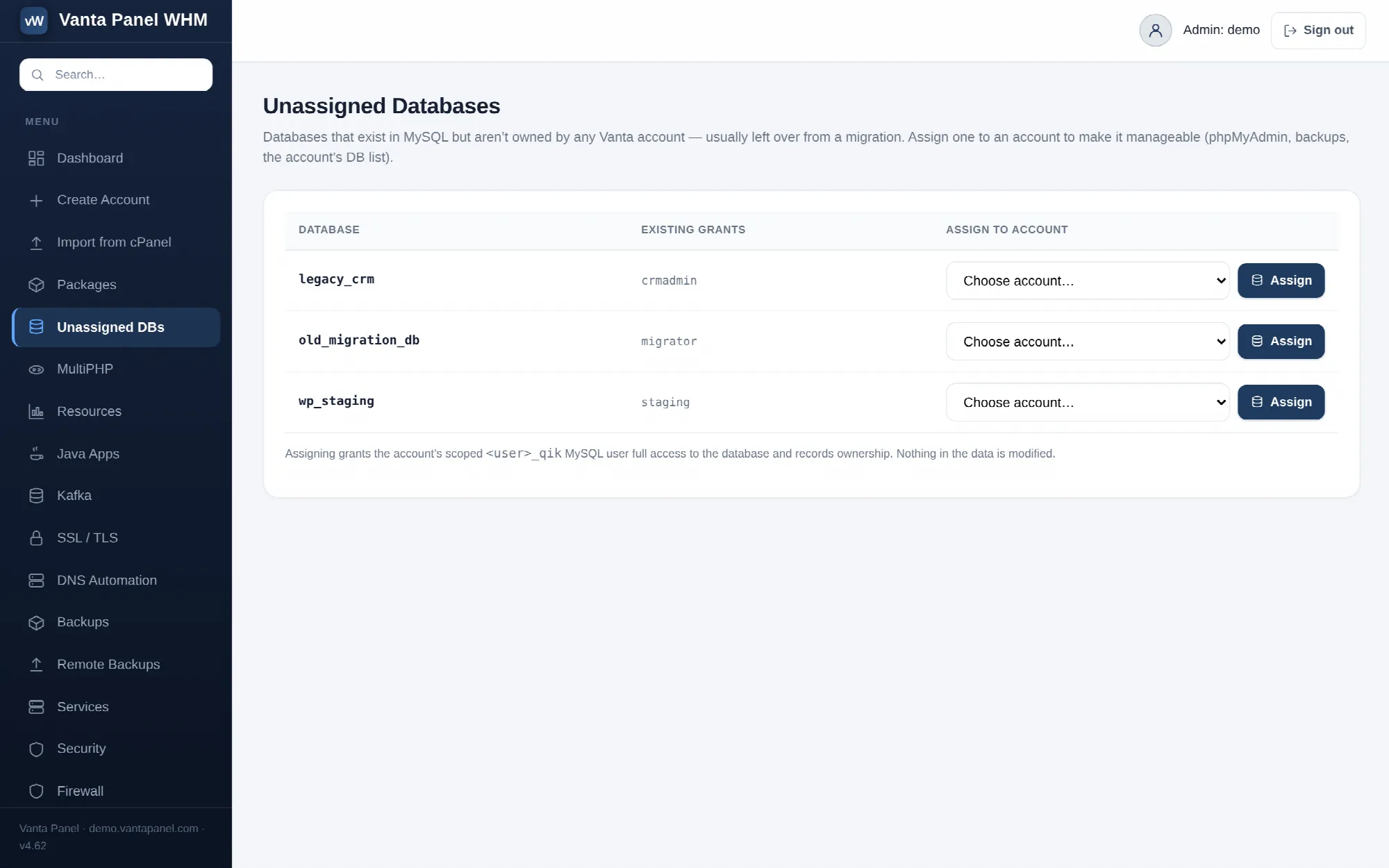 Assigning an unowned MySQL database to an account in vWHM.
Unassigned DBs (vWHM → Unassigned DBs) lists databases that exist in MySQL but are not owned by any Vanta Panel account, and lets you assign each one to an account by hand.
This is the page you need after a migration. A database restored outside the panel is invisible to it: the owning account shows a database count that is too low, the database does not appear in their database list, and it is not reachable through their phpMyAdmin — even though the data is sitting in MySQL, intact.
What appears in the list
The page reads the live schema list from MySQL and subtracts two sets:
- databases already registered to an account
- the system schemas
information_schema,performance_schema,mysql,sysandphpmyadmin
Whatever is left is listed. If nothing is, the page tells you every database is owned.
Each row shows the database name and, in a second column, any MySQL users already granted on it. That grant list is a hint for matching: a database granted to acme_wp almost certainly belongs to the acme account.
Assigning a database
Pick an account from the dropdown and choose Assign. The dropdown pre-selects the account whose username prefix matches the database name and labels it name matches, so the common case is one click.
Assigning does two things:
- Grants the account's scoped
<username>_qikMySQL user full access to the database. If that account has no scoped credential yet, one is minted first — the same thing the customer side does on their first visit to phpMyAdmin. - Records ownership in the panel's registry.
Nothing in the data is modified. No tables are touched, no rows are changed, no other grants are removed. Assignment is metadata plus one grant.
After it completes, the database appears in that account's database list, in their phpMyAdmin, and in their backups.
Getting it wrong
There is no "unassign" button on this page. If you assign a database to the wrong account, the fix is to remove the row from the panel's database registry directly, or to delete the database from the wrong account's panel — which does destroy the data, so do not reach for that by accident.
Because assignment grants a customer's MySQL user access to the database, and because their phpMyAdmin single sign-on uses that same user, assigning the wrong database means handing one customer another customer's data. Check the grant hint column and the name prefix before you assign anything that does not obviously match.
The list itself only hides the five system schemas named above, so the panel's own control database, vantapanel, does appear in it. Assigning that one is refused by the privileged worker, which holds a hard protected list of mysql, information_schema, performance_schema, sys and vantapanel, and the attempt fails with protected database. Nothing beyond that list is protected — a shared service schema such as roundcube is both listed and assignable, so leave anything you do not recognise alone.
This page versus Resources
Two tools do overlapping jobs, and the difference is who decides the owner.
- Unassigned DBs — you choose the account, one database at a time. Use it when the name does not follow the
<username>_convention, or when you want to see the existing grants before deciding. - Resources → Database registry — the panel matches databases to accounts automatically by name prefix and adopts them in bulk. Use it when everything follows the convention and you just want the count fixed. It also finds orphan grants, which this page does not. See Resource overview.
Both write to the audit log: this page as db.assign with the database and target account in the target field, the bulk repair as dbreg.repair.