 Vanta Panel
Directory Privacy
Password-protect a folder on your site with HTTP Basic authentication. Covers protecting a folder, managing several logins, how the .htpasswd and .htaccess are written, and the real limits of Basic auth - including why you should only use it over HTTPS.
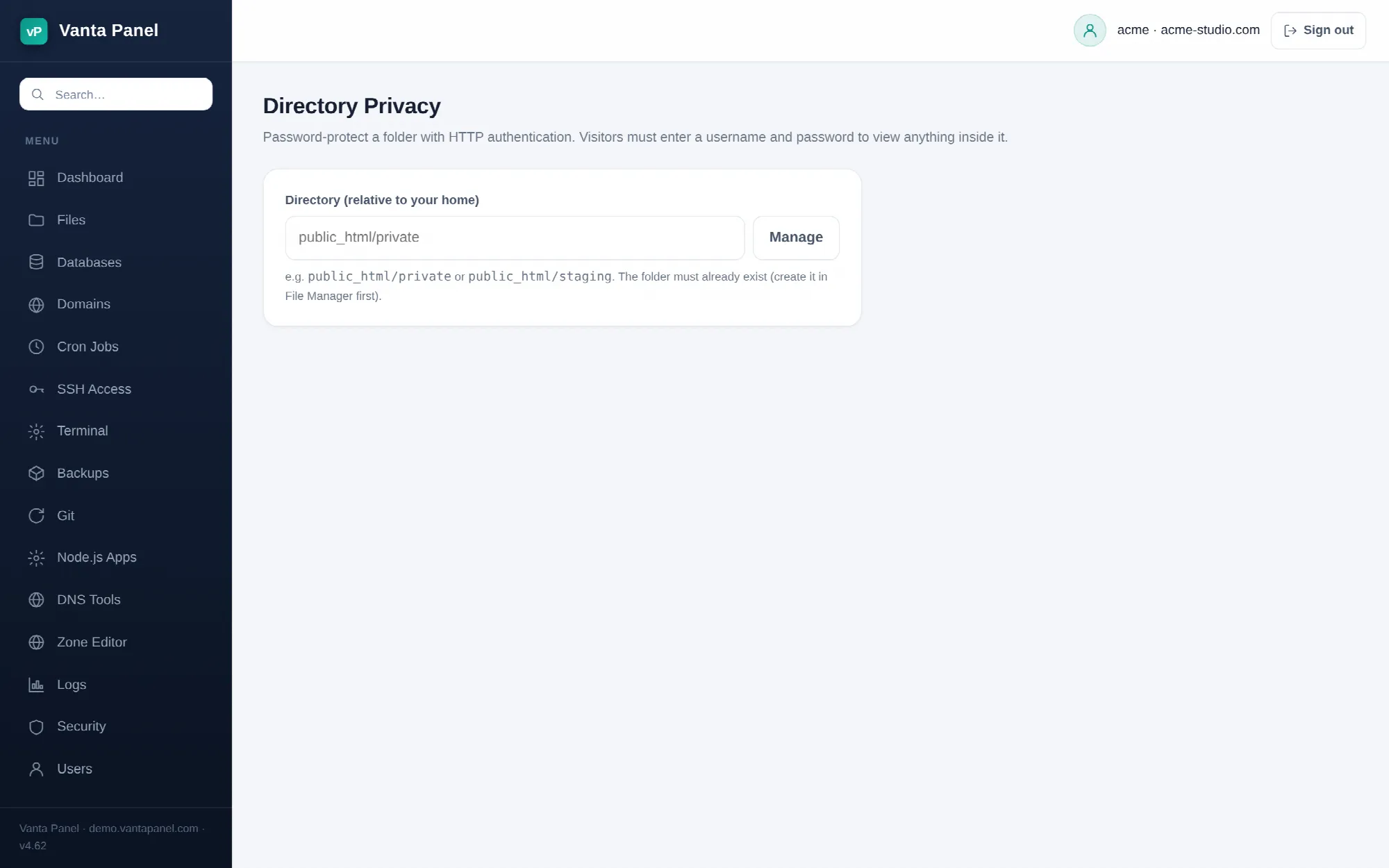 Password-protecting a folder in vPanel.
Directory Privacy (vPanel → Dashboard → Security → Directory Privacy) puts a username-and-password prompt in front of a folder on your site. Anyone requesting anything inside it — pages, images, downloads — has to authenticate first. It is the quickest way to fence off a staging site, a client preview, or a folder of internal documents.
Protecting a folder
Type the folder's path relative to your home directory — public_html/private, public_html/staging — and press Manage. The folder has to exist already; create it in the File Manager first.
Then set:
- Label — the text shown in the browser's login prompt, up to 64 characters. "Staging site" or "Client preview" tells the visitor what they have reached; the default is "Protected Area".
- First username — 1–32 characters, from lowercase letters, numbers, dot, dash and underscore.
- Password — at least 5 characters. Nothing here is a security ceiling, so pick something real.
How it is applied
Two files are written into the folder you protected. A .htpasswd holding the username and a bcrypt hash of the password — the password itself is hashed in the panel before it ever reaches the server's privileged worker, so a plaintext password is never stored. And a managed block in that folder's .htaccess:
# BEGIN vantapanel-protect
AuthType Basic
AuthName "Staging site"
AuthUserFile /home/<account>/public_html/private/.htpasswd
Require valid-user
# END vantapanel-protect
Only what is between the markers is touched, so existing rules in that .htaccess survive. Protection is inherited: everything in subfolders below the protected folder is covered too.
Managing users
Once a folder is protected the page lists its users. Add a user appends another login to the same .htpasswd; Remove deletes one. Each user gets their own password, so you can revoke one person's access without disturbing anyone else.
The last remaining user cannot be removed. The attempt is refused with "cannot remove the last user — use Unprotect instead", because a protected folder whose password file is empty is a folder nobody can ever open. If you want the folder public again, use Unprotect. If you want to cut off whoever holds the only login, add the same username again in Add a user with a new password — an existing entry is replaced rather than duplicated, so that is how you change a password here.
Unprotect deletes the .htpasswd, strips the managed block, and the folder becomes public again. Your files are not touched.
What this is and is not
This is HTTP Basic authentication. It is genuinely effective at keeping people out, and it has real limits you should know:
- Use it only over HTTPS. Basic auth sends the username and password on every request, encoded but not encrypted. Over plain HTTP they are readable by anything on the path. Install a certificate from the Domains page first.
- There is no logout. Browsers cache the credentials for the rest of the session. Closing the browser is the way out.
- It is not a login system. Everyone shares a flat list of usernames; there are no roles, no sessions, no "forgot password". For anything user-facing, use your application's own accounts.
- It does not protect what is not inside the folder. A file served from a different directory, or content your application reads from elsewhere and prints, is untouched by this.
- PHP still runs for authenticated requests. Basic auth gates access, it does not disable code.
Common uses
Protecting public_html/staging while a redesign is in progress keeps it out of search results and away from customers. Protecting a WordPress wp-admin folder adds a second door in front of the login page and stops automated login attempts before PHP is ever involved — but be aware it also gates wp-admin/admin-ajax.php, which plugins call from the public side of the site, so front-end features can break. The IP Blocker and two-factor authentication are usually the better tools for that particular job.
Related
- Leech Protection — records a policy for a protected folder when a login looks shared.
- Directory Indexes — hide file names in folders with no index file.
- Error Pages — the
401page is what a cancelled login prompt shows.