
Security Tools
Every security tool in Vanta Panel and where it lives: two-factor authentication, delegated logins, IP blocking, directory privacy, hotlink protection, SSH keys and SSL.
On this page 5 sections
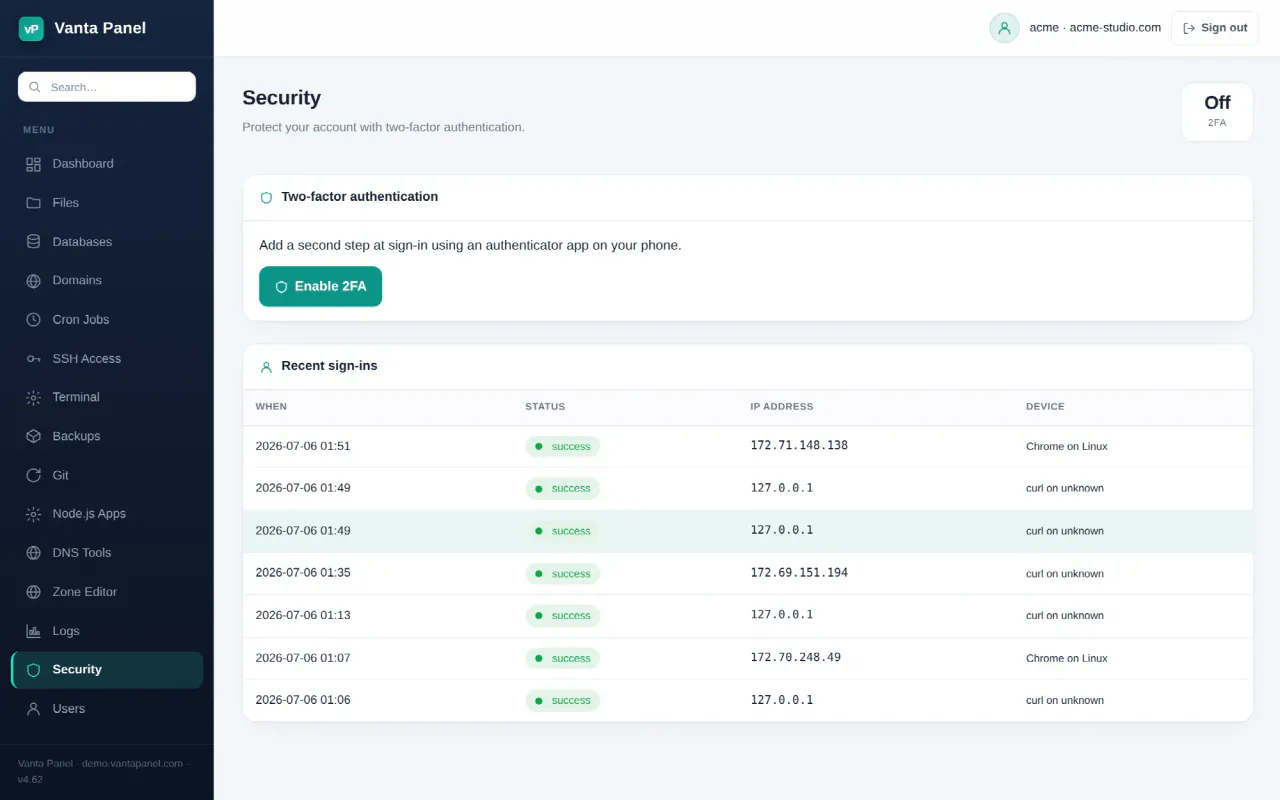
Security in Vanta Panel is split across several pages rather than one screen. This page is the map: what each tool does, where it lives, and which doc covers it in full.
Securing your login
- Two-factor authentication (vPanel → Security) adds a TOTP code at sign-in, gives you eight single-use recovery codes, and shows your last 15 sign-ins with IP and device.
- Change Password (vPanel → Dashboard → Preferences → Change Password) updates your panel login and your Linux system password (SSH, SFTP, FTP) together.
- User Manager (vPanel → Users) creates extra logins for a developer or colleague, each limited to the areas you tick.
Your host can require two-factor authentication for every account from vWHM → Settings. When that policy is on, the panel sends you to the Security page and keeps you there until you enrol.
Restricting who reaches your site
- IP Blocker (Dashboard → Security → IP Blocker) denies named IP addresses and CIDR ranges across everything under
public_html. - Directory Privacy (Dashboard → Security → Directory Privacy) puts a username and password in front of a single folder. Credentials are stored as bcrypt hashes.
- Hotlink Protection (Dashboard → Security → Hotlink Protection) stops other sites embedding your images and burning your bandwidth.
- Leech Protection (Dashboard → Security → Leech Protection) watches password-protected areas for logins being shared too widely.
All four are applied through .htaccess files in your account, so they take effect immediately with no service restart.
Shell and transfer access
- SSH Access (vPanel → SSH Access) manages the public keys allowed to log into your account.
- Terminal (vPanel → Terminal) runs one-off shell commands as your account user from the browser.
Both pages disappear from your panel entirely if your host has turned SSH off for your account.
Encryption in transit
Certificates are issued per domain from vPanel → Domains — see SSL / TLS Certificates. Turning on force HTTPS when you install a certificate redirects all plain HTTP traffic to the secure version.
What the server administrator controls
Some protections are not yours to change. From vWHM the administrator sets the server firewall and fail2ban rules, can require 2FA account-wide, can restrict admin panel access by IP, and can disable SSH for individual accounts. If a tool described here is missing from your panel, that is usually why.
Something missing or out of date? Ask support, or try it yourself on the live demo.