 Vanta Panel
Resource Overview
Per-account disk, database and subdomain usage measured live in vWHM, plus the database registry tools that adopt unregistered databases and clear orphan MySQL grants.
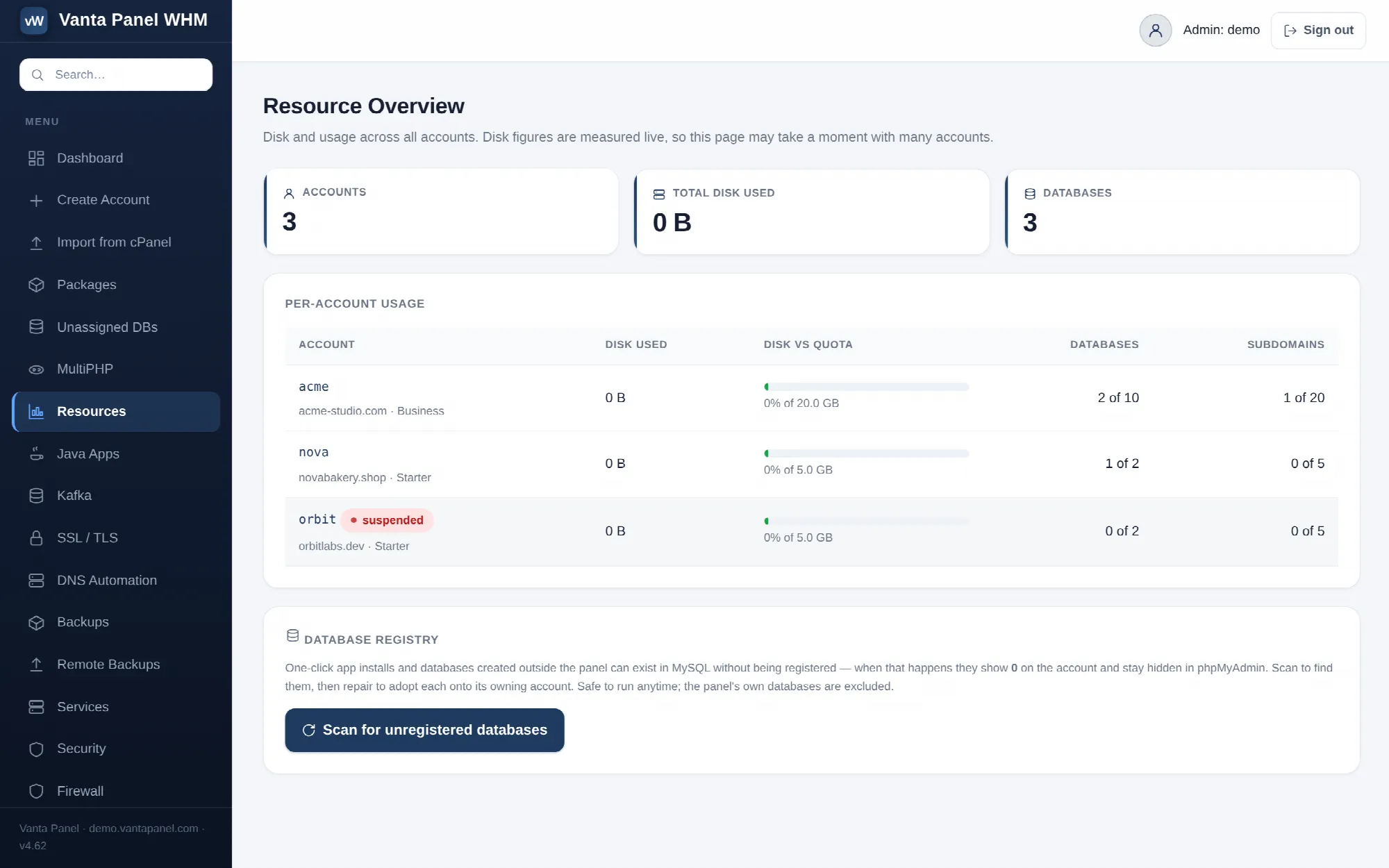 Per-account resource usage and database registry maintenance in vWHM.
Resources (vWHM → Resources) answers one question: what is each account actually using? Where Server status describes the machine, this page breaks the machine down by customer.
It also holds the database registry maintenance tools, which is where you go when an account's database count looks wrong.
Per-account usage
Three totals at the top — account count, total disk used across all accounts, and total database count — then a table sorted by disk usage, largest first.
Each row shows:
- Account — username, a
suspendedpill if applicable, and the primary domain and package underneath. The username links to that account's management screen. - Disk used — measured live.
- Disk vs quota — a bar and a percentage against the package's disk limit, coloured amber from 70% and red from 90%. An account past its quota is labelled over quota. Accounts with no disk limit read no quota.
- Databases and Subdomains — as used of limit, or used (unlimited) where the package sets no ceiling. A database count above the plan limit gets a ⚠ marker.
Disk usage is measured by walking each account's home directory when you load the page. That is accurate rather than cached, and it is why the page notes that it may take a moment with many accounts. If it feels slow, that is the disk walk, not the database.
Remember that a package's disk figure is a reporting quota, not a filesystem quota — nothing prevents an account exceeding it. This table is how you find out that it has. See Packages and plans.
Database registry
The panel keeps its own registry of which database belongs to which account. That registry is what drives the account's database list, phpMyAdmin access, and inclusion in backups.
A database can exist in MySQL without being registered — created over the CLI, restored from a dump, or left behind by a tool outside the panel. When that happens the account shows 0 databases and the database stays invisible in their phpMyAdmin, even though it is right there in MySQL.
Scan for unregistered databases finds them. The scan is entirely read-only. It matches each unowned schema to an account by name prefix, longest username first so the most specific match wins, and reports three groups:
- Can be adopted — matched to an owning account. Apply repair registers each one onto that account, after which it appears in the account, in phpMyAdmin and in backups.
- Not matched to any account — listed and left completely untouched.
- Orphan grants — see below.
System and panel-owned schemas are never offered: information_schema, mysql, performance_schema, sys, phpmyadmin, roundcube, and the panel's own databases. Adopting one of those onto an account would expose it through that account's phpMyAdmin, so the code refuses.
Orphan grants
An orphan grant is a MySQL user still granted privileges on a database that no longer exists — a harmless leftover, usually from a site removed outside the panel.
Tick the ones you want cleaned and choose Revoke selected. Only the dead grant is removed; no data is touched, because there is no data left to touch.
Two safeguards apply:
- The orphan list is re-derived on the server when you submit. Only grants that are still orphaned at that moment can be acted on, so a stale page or a forged request does nothing.
- The panel's own scoped remote-MySQL users, the ones ending in
_qik, are never dropped. Their dead grant is cleared, the user itself stays, because the account needs it.
The optional Also drop a user entirely if it has no other databases checkbox removes users left with nothing at all. It never applies to a _qik user.
Related
Both repair and cleanup are recorded in the audit log as dbreg.repair and dbreg.cleanup, with counts in the detail column.
For assigning a specific unowned database to a specific account by hand, rather than by prefix matching, use Unassigned databases.